This is a quick tutorial to show how to convert an image into PDF on Windows 11.
Steps to convert an Image to PDF
- Open Image, right click select Print.
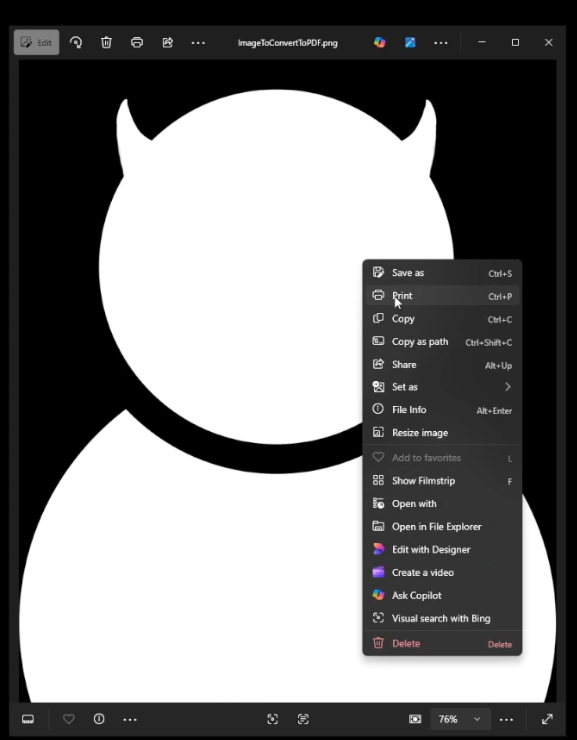
2. In print settings, select Printer as Microsoft Print to PDF. And set Fit to Shrink to Fit.
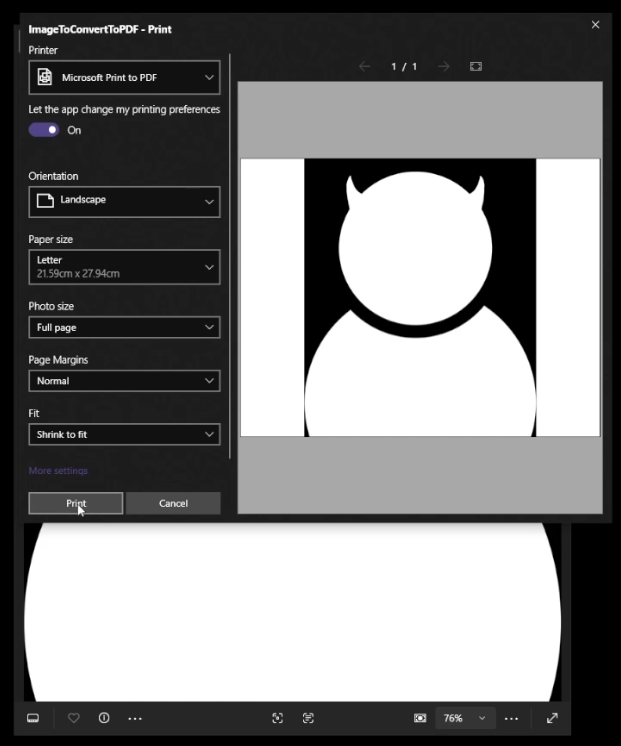
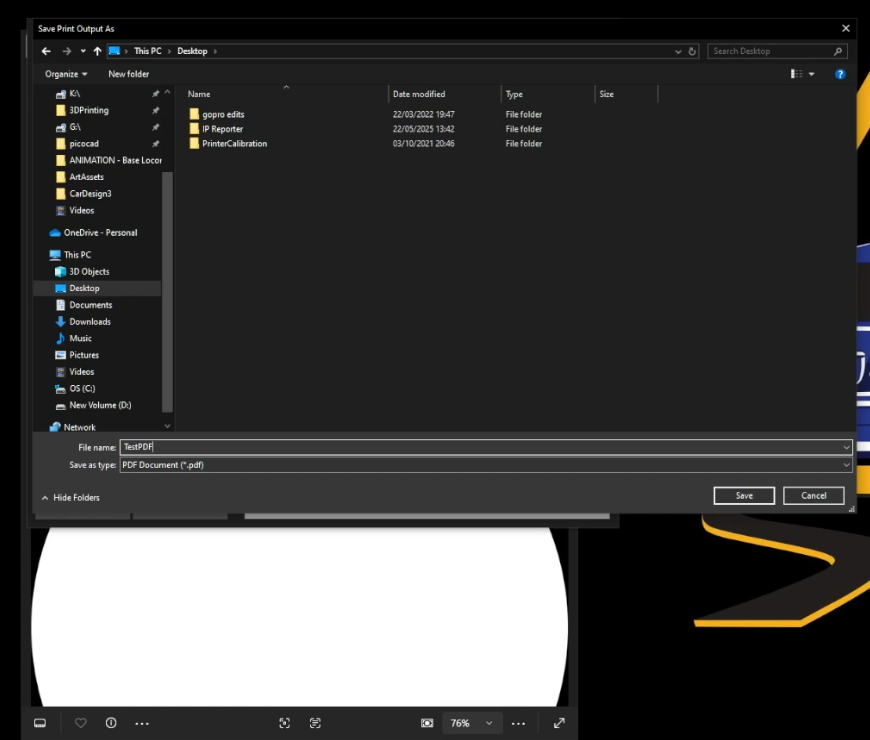
3. Press Print. Select location to Save. Give the PDF a name. And press Save.
Steps to Resize if the PDF is too large in size.
To resize a PDF that’s too large in size. Reduce the size of the image and Print PDF again. Follow these steps.
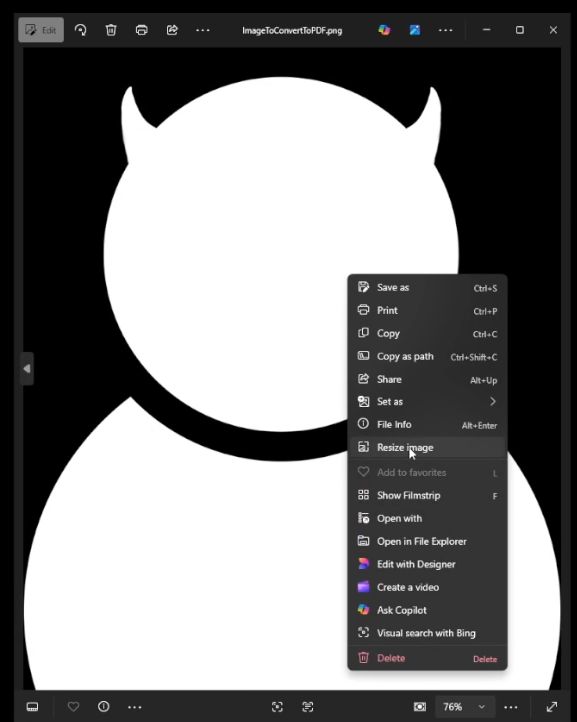
- Open Image and right click, select Resize Image.
2. In the resize window, select percentage and reduce the percentage till the New size is close to what you want. Make sure to reduce width and height by the same amount.
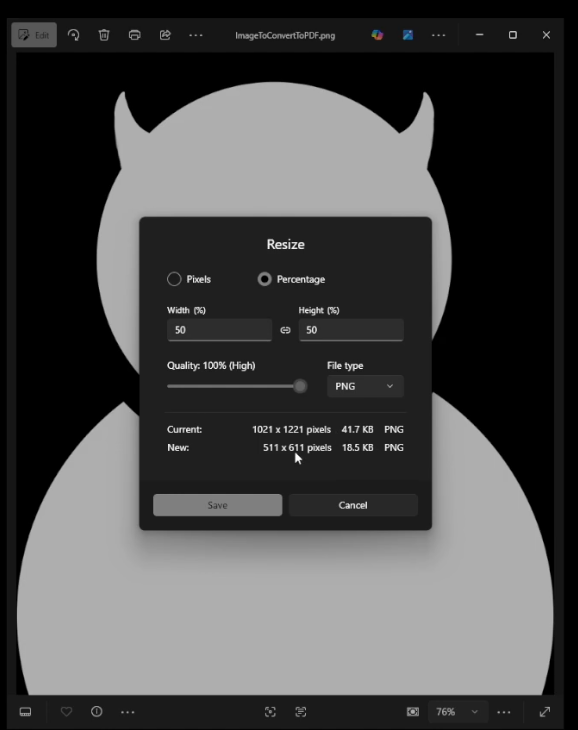
3. Once the new Size is what to need. Press Save. Give your new resized image a new name and location.
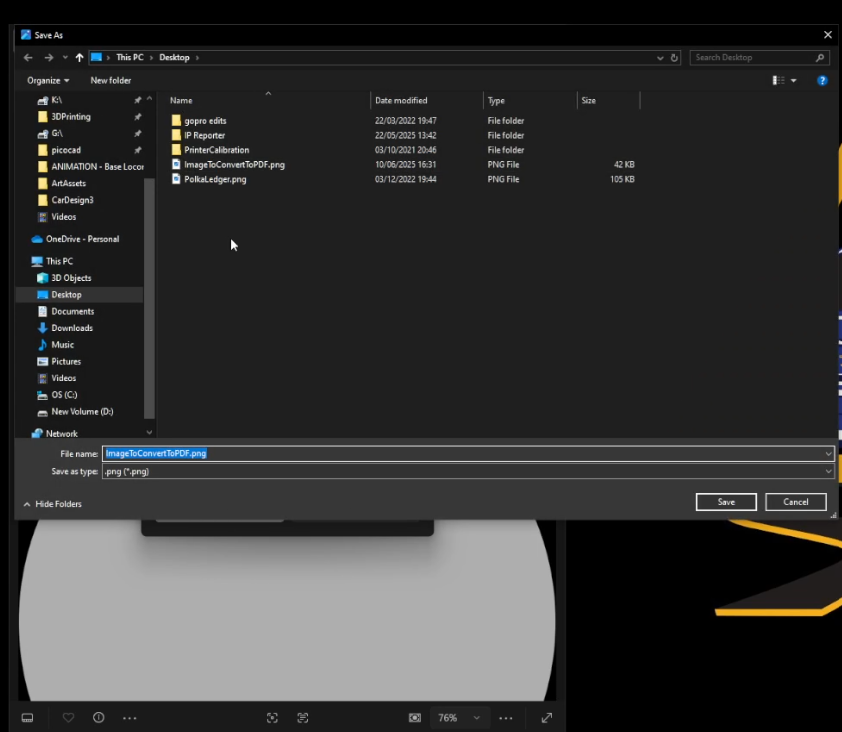
4. Now print the image to a PDF again. Follow the steps to convert an Image to PDF.
x